
Why Synonyms Matter in E-Commerce Search
Shoppers rarely use the exact same terminology as a product catalog. Differences in language, regional terms, and personal habits often lead customers to search using alternative wording.
Without synonym support, relevant products may remain hidden simply because the search term does not match the exact wording used in the catalog.
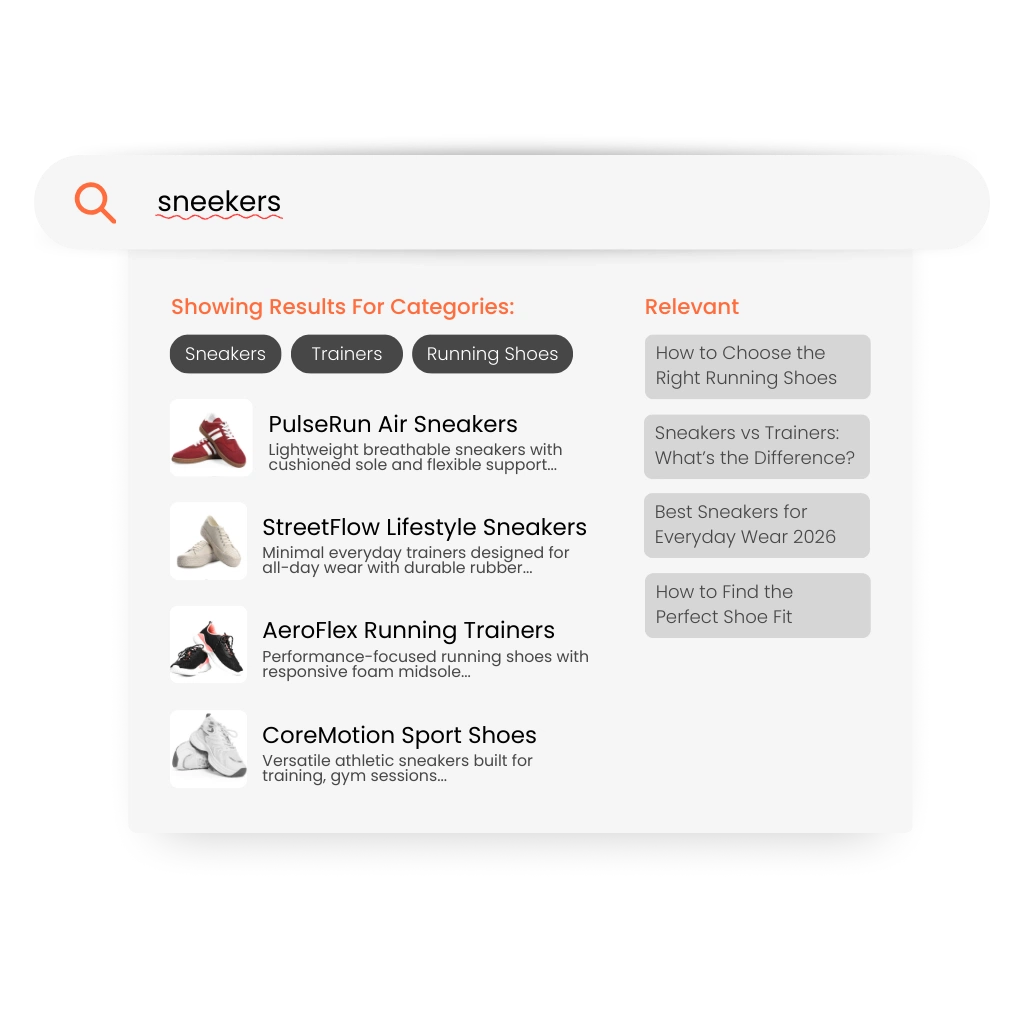
For example, a shopper might search for “trainers” while the catalog lists “running shoes,” or look for “hoodie” while the product title uses “sweatshirt.”
Synonym management bridges this gap by connecting related terms that share the same intent. This ensures shoppers can find the right products even when they use different language or phrasing.
By aligning search behavior with catalog terminology, stores can improve both product discovery and overall search satisfaction.
From Catalog Language to Shopper Language
Product catalogs often use standardized or technical terminology, while shoppers search using everyday language.
These differences can lead to missed matches, irrelevant results, or unnecessary zero-result searches.
Synonym management links related terms together so that variations in wording still return relevant products.
Instead of requiring shoppers to guess the exact catalog phrasing, the search system understands different ways customers may describe the same product.
This alignment between catalog language and shopper language helps stores deliver more accurate and intuitive search experiences.
How Synonym Management Works
Synonym Detection Identify search terms that share the same meaning or shopper intent.
Automatic Matching Ensure different words or phrases return the same relevant product results.
Improved Relevance Reduce failed searches caused by terminology mismatches.
Clerk.io connects related search terms so shoppers consistently find the products they are looking for.
Use Case: Reducing Zero-Result Searches
A shopper searches for a product using alternative wording that does not exactly match the catalog terminology.
Without synonym support, the search may return few or no results.
With synonym management in place, related products appear immediately. This allows the shopper to continue browsing and find the item they were looking for.
Key Benefits of Search Synonym Management
- Improve product discovery across varied search terms
- Reduce zero-result searches caused by terminology differences
- Align search results with how customers naturally search
- Increase engagement with relevant search results
- Support better conversion through improved search accuracy
By connecting related search terms, merchants ensure shoppers can find relevant products regardless of the wording they use.