
 May 25, 2023
  5 min read


Instant Search That Converts High-intent Shoppers
Instant Search is the first interaction customers have with your site search—and often the last step before purchase.
By showing relevant products and content while users type, Instant Search captures intent before it fades.
- Displays relevant products after just two keystrokes
- Predicts intent and ranks results by likelihood to convert
- Combines products, categories, and pages in one view
- Reduces friction for users who want fast results A strong layout prioritizes products (around 70%) while supporting discovery with categories, pages, and a “see all results” option.
Key takeaway: Instant Search turns high intent into immediate action.

Search Pages That Support Deeper Exploration
While Instant Search is optimized for speed, the Search Page supports deeper comparison and decision-making.
It’s where users refine, filter, and validate their choices.
- Displays 40–60 products to balance speed and visibility
- Uses “Show more results” to maintain performance
- Keeps users focused without overwhelming them This setup supports shoppers who want certainty before committing.

Filters That Adapt to Search Intent
Filters are most effective when they adapt to what the shopper is actually looking for.
Static facets slow users down and add noise.
- Filters update dynamically based on the search query
- Only relevant attributes are shown per product type
- Supports fast narrowing by price, size, color, brand, and more This allows shoppers to reach the right product in just a few clicks.
Design Choices That Reduce Friction
Search only performs if customers can find it instantly.
Visibility and simplicity matter more than creative placement.
- Search bar should always be visible in the top navigation
- Avoid hiding search behind icons or menus
- Optimize placement for desktop, tablet, and mobile Clear placeholder text and consistent styling help users understand what to do without thinking.
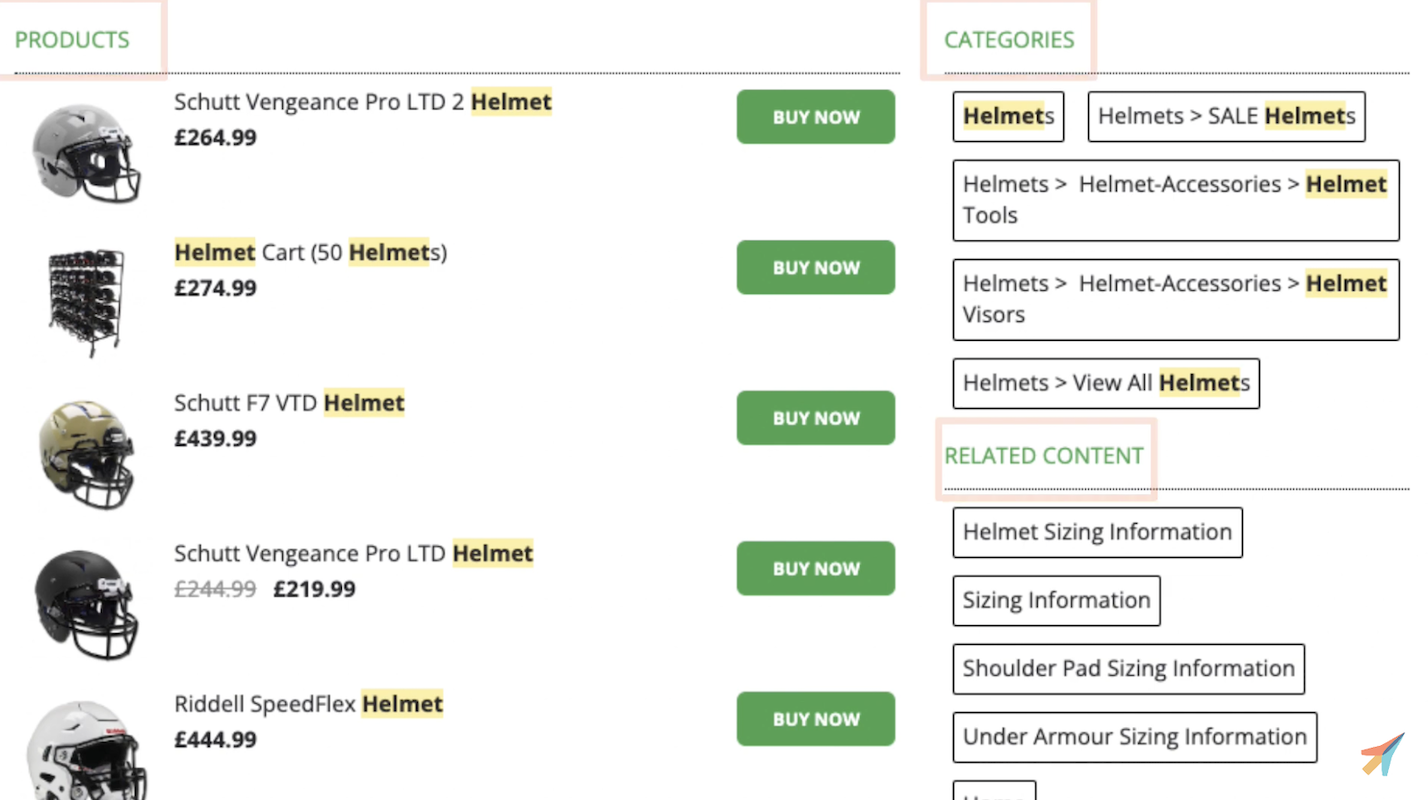
In search results, include images, prices, discounts, and clear CTAs to support fast decisions.
Continuous Optimization with Search Insights
Even AI-powered search benefits from regular review and fine-tuning.
Search Insights reveal where customers struggle and where revenue is being left on the table.
- Identify searches with no results
- Spot missing products or categories
- Manage synonyms, phrasing, and common typos Merchandising tools allow you to emphasize higher-margin products while keeping results relevant.

TL;DR
- Search users have the highest purchase intent
- Instant Search captures demand early
- Search pages support deeper decision-making
- Adaptive filters reduce friction
- Ongoing optimization increases revenue over time


