 July 10, 2025
  3 min read

What’s New
-
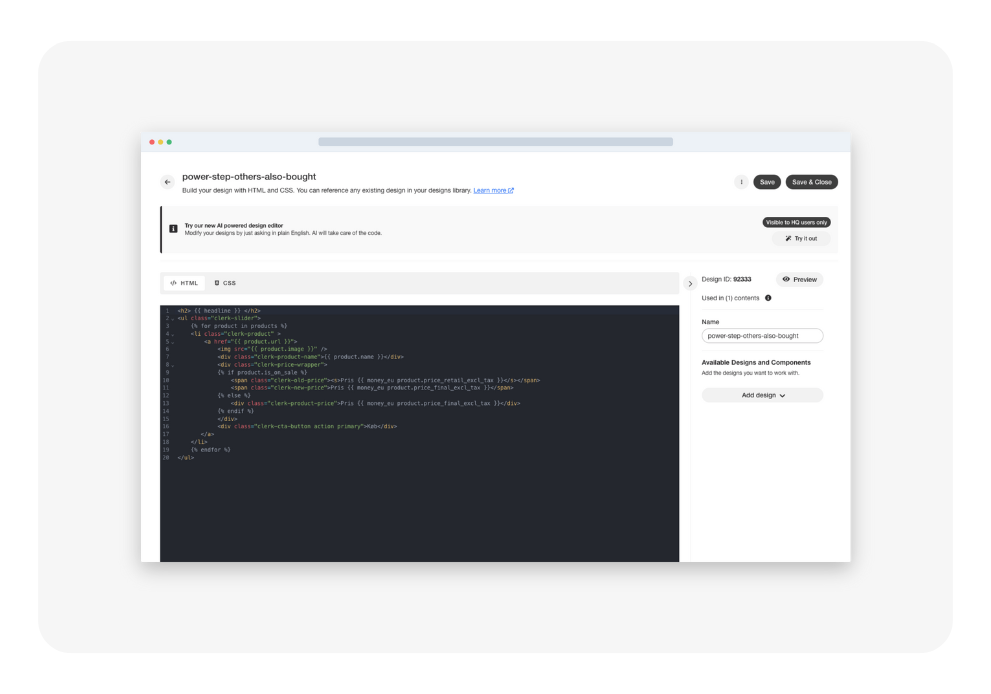
More room to create Lose the cramped feeling. The editor now spans a wider canvas so you can view more code without endless scrolling.
-
An IDE-inspired look & feel We borrowed the best cues from modern code editors—improved syntax highlighting, clearer line numbers and collapsible panels—so you instantly feel at home.
-
Auto-formatting at your fingertips Hit “Format” and watch your HTML, CSS and Liquid snap into consistent indentation and spacing. Cleaner code, fewer bugs.
-
Visual polish Subtle yet impactful UI tweaks (Fonts, colors, spacing) that reduce eye-strain and keep you focused on what matters: building beautiful designs.
Why It Matters
A better editing experience means quicker iterations, cleaner templates and less time hunting for that missing bracket. Ultimately, you ship on-brand, conversion-boosting designs in fewer clicks.
How to Get Started
- Head to Designs → Edit button in your Clerk.io dashboard.
- Open any template or create a new one to feel the difference.
- Give the new “Format” button a try and let tidy code magic happen.
We’d Love Your Feedback
Your input shapes our roadmap. Tell us what you think via the in-app chat or at support@clerk.io.
Happy coding!
— The Clerk.io Product Team